EduBase
Interact with [EduBase](https://www.edubase.net), a comprehensive e-learning platform with advanced quizzing, exam management, and content organization capabilities
⚡Config Installation
Add this to your claude_desktop_config.json:
{
  "mcpServers": {
    "edubase": {
      "command": "npx",
      "args": [
        "-y",
        "@modelcontextprotocol/server-edubase"
      ]
    }
  }
}* Note: Requires restart of Claude Desktop app.
Deployment Infrastructure
Adoption Framework for EduBase
Before installing any skill, define a clear objective and measurable outcome. A useful implementation question is: what workflow becomes faster, safer, or more reliable after this skill is active? If that answer is vague, delay rollout and tighten scope first.
For most teams, a low-risk pattern is preview-first rollout with one owner, one test scenario, and one rollback plan. Capture failures in a structured log so quality decisions are evidence-based. This is especially important for skills that touch file systems, external APIs, or automation chains with downstream side effects.
- Define success metrics before installation.
- Validate permission scope against policy boundaries.
- Run one controlled pilot and document failure categories.
- Promote only after acceptance checks pass consistently.
Pre-Deployment Review Questions
Use these questions before enabling the skill in shared environments. They reduce surprise incidents and make approval decisions consistent across teams.
- What data can this skill read, write, or transmit by default?
- Which failures are recoverable automatically and which require manual stop?
- Do we have verifiable logs that prove safe behavior under load?
- Is rollback tested, documented, and assigned to a clear owner?
If any answer is unclear, keep rollout in preview and close the gap before production use.
Editorial Review Snapshot
This listing includes an editorial QA layer in addition to automated rendering. Review status is based on documentation depth, content uniqueness, and operational safety signals from the upstream repository.
- Last scan date: 2026-01-18
- README depth: 1063 words
- Content diversity score: 0.49 (higher is better)
- Template signal count: 0
- Index status: Index eligible
Recommendation: Pilot in a bounded environment first. Confirm observability and ownership before promoting to shared workflows.
Skill Implementation Board
Actionable utility module for rollout decisions. Use the inputs below to choose a deployment path, then execute the checklist and record an output note.
Input: Security Grade
B
Input: Findings
0
Input: README Depth
1063 words
Input: Index State
Eligible
| Decision Trigger | Action | Expected Output |
|---|---|---|
| Input: risk band moderate, docs partial, findings 0 | Run a preview pilot with fixed ownership and observability checkpoints. | Pilot can start with rollback checklist attached. |
| Input: page is index-eligible | Proceed with external documentation and team onboarding draft. | Reusable rollout runbook ready for team adoption. |
| Input: context tags/scenarios are missing | Define two concrete scenarios before broad rollout. | Clear scope definition before further deployment. |
Execution Steps
- Capture objective, owner, and rollback contact.
- Run one preview pilot with fixed test scenario.
- Record warning behavior and recovery evidence.
- Promote only if pilot output matches expected threshold.
Output Template
skill=edubase
mode=B
pilot_result=pass|fail
warning_count=0
next_step=rollout|patch|hold
🛡️ Security Analysis
Clean Scan Report
Our static analysis engine detected no common vulnerabilities (RCE, API Leaks, Unbounded FS).
DocumentationREADME.md

EduBase MCP server

This repository contains the implementation of the Model Context Protocol (MCP) server for the EduBase platform. It allows MCP clients (for example Claude Desktop) and LLMs to interact with your EduBase account and perform tasks on your behalf. It supports stdio, SSE and streamable HTTP transport protocols.
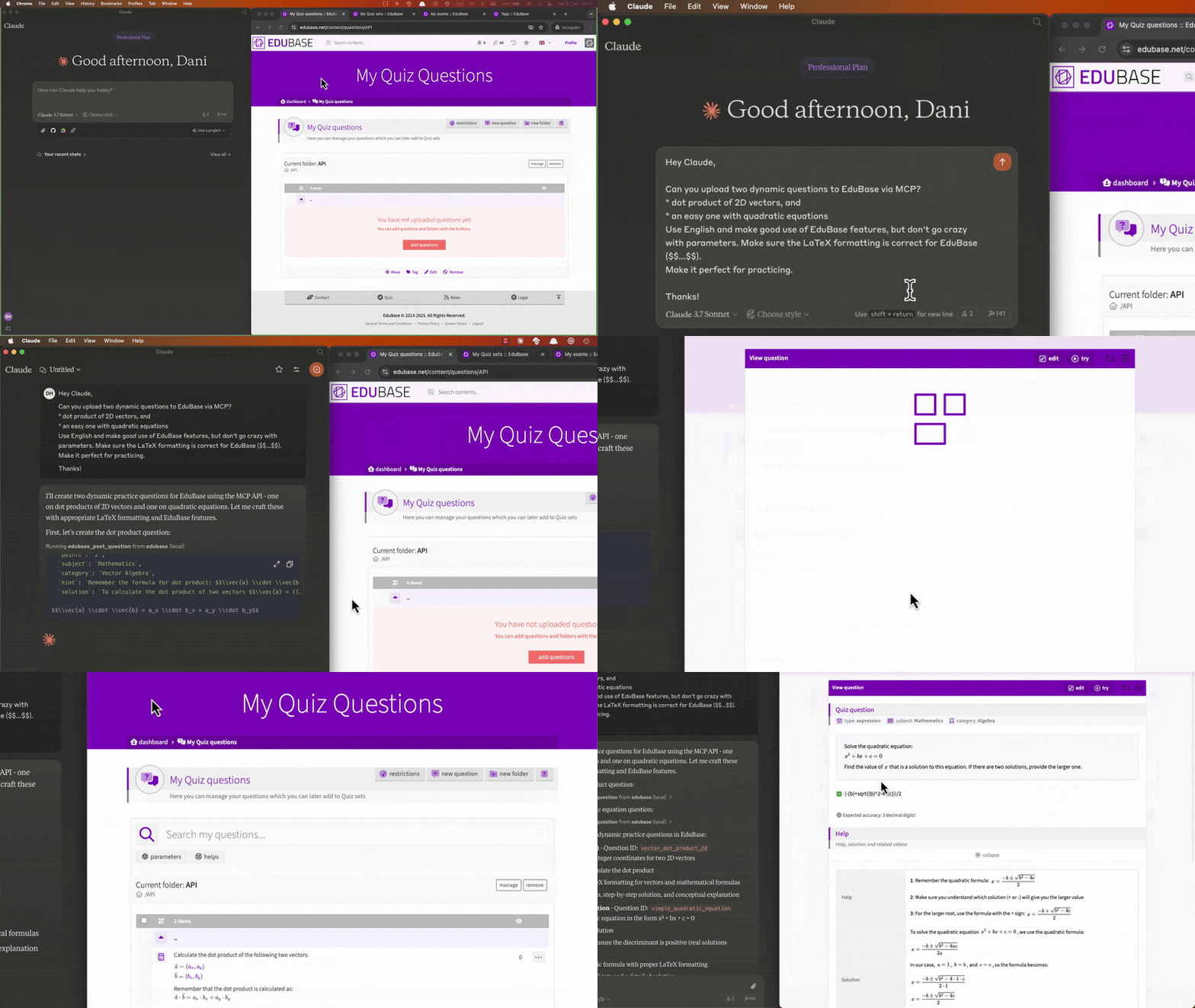
What is EduBase?
EduBase is an innovative, modular, online educational platform that makes learning more enjoyable, simpler and interactive, suitable for educational institutions or enterprises.
Why choose EduBase?
EduBase revolutionizes digital learning with its unique combination of features:
- Advanced Quiz System with parametrization allowing infinite variations of the same question, real-time cheating detection, beautiful LaTeX typesetting, advanced STEM-support and automatic grading
- Unified Learning Environment that centralizes all your educational content — videos, exams, documents, and SCORM modules — in one intuitive system
- Enterprise-Grade Security with features like SSO integration, fine-grained access controls, comprehensive auditing, and GDPR compliance
- Integration with your existing systems through LTI, comprehensive API, and custom integration options
- AI-Assisted Tools, such as EduBase Assistant, that can instantly transform your existing content into interactive quizzes and assessments, or translate your materials from one language to another
From higher education institutions to corporate training departments, EduBase scales to meet your specific needs while maintaining an intuitive user experience across all devices.
Demo video
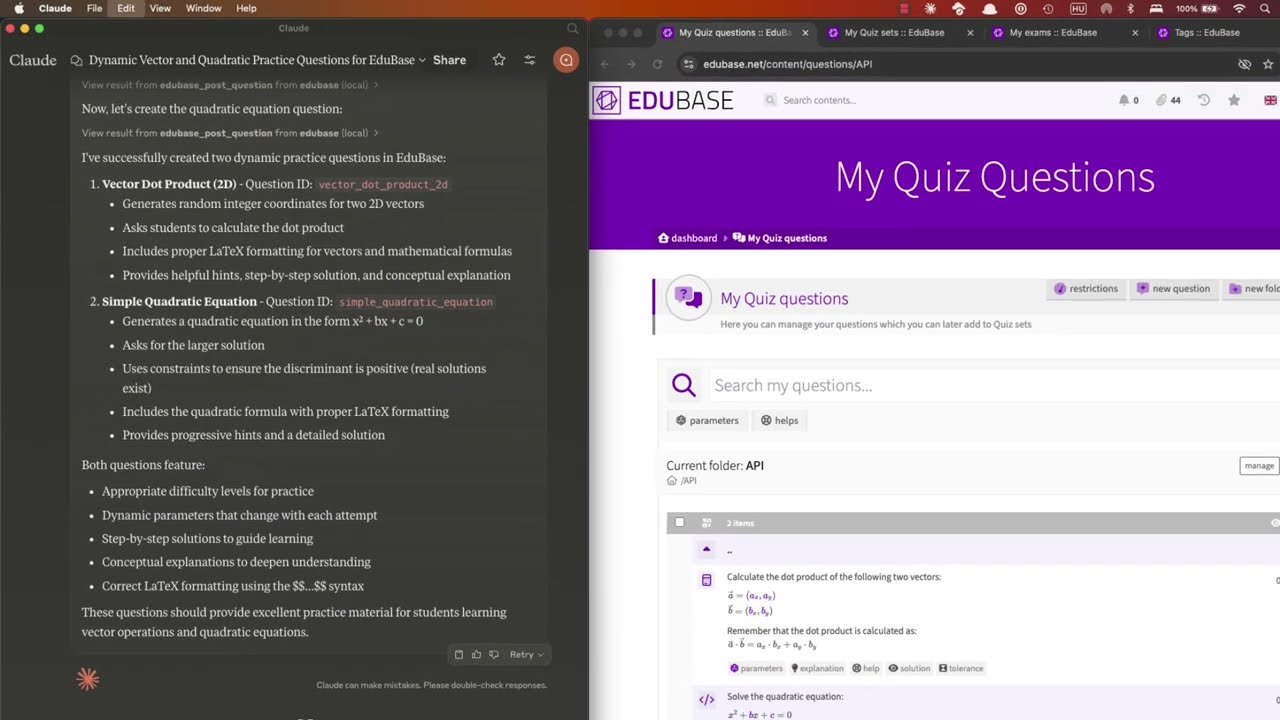
Collaboratively creating and uploading questions, scheduling exams and analyzing user results with Claude:
Obtaining your API credentials
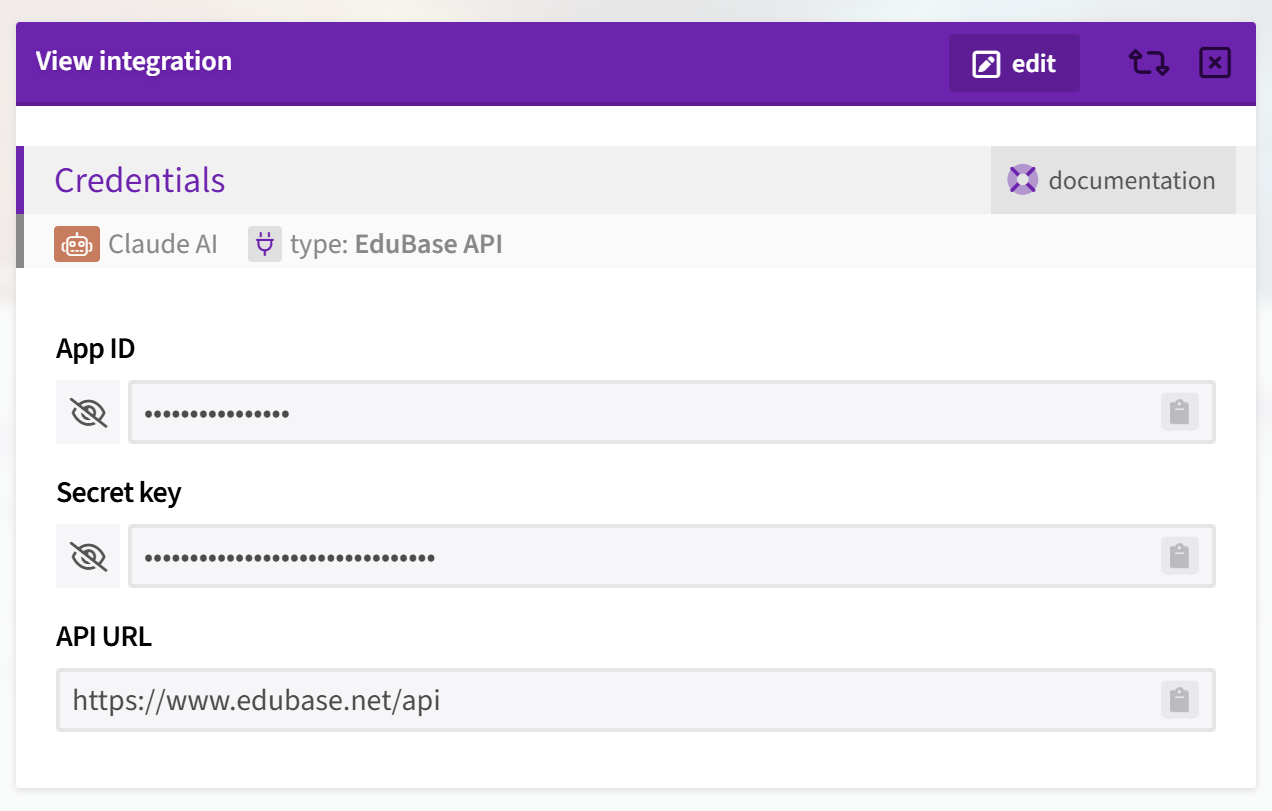
Once logged in, on your Dashboard, search for the Integrations menu, click "add integration" and choose the type "EduBase API".
If you don't see this option, enter the MCPGITHUB activation code or feel free to contact us to request access at [email protected].
Tools
Each documented API endpoint is available as a separate tool, named edubase_<method>_<endpoint>. For example, the tool for the GET /user:me endpoint is named edubase_get_user_me. See our developer documentation for more information.
Configuration
The MCP server can be configured using environment variables. The following variables are available:
| Variable | Description | Required | Default value |
|---|---|---|---|
EDUBASE_API_URL | The base URL of the EduBase API, most probably https://subdomain.edubase.net/api. | Yes | https://www.edubase.net/api |
EDUBASE_API_APP | The App ID of your integration app on EduBase, the app on the EduBase API. Find this in the integration details window on EduBase. | Not if HTTP transport is used with authentication, otherwise Yes | - |
EDUBASE_API_KEY | The Secret key of your integration app on EduBase, the secret on the EduBase API. Find this along the App ID in the integration details window on EduBase. | Not if HTTP transport is used with authentication, otherwise Yes | - |
EDUBASE_SSE_MODE | Start MCP server in HTTP mode with SSE transport. Value must be true. | No | false |
EDUBASE_STREAMABLE_HTTP_MODE | Start MCP server in HTTP mode with streamable HTTP transport. Value must be true. | No | false |
EDUBASE_HTTP_PORT | HTTP server will listen on this port if SSE or streamable HTTP transport mode is used. | No | 3000 |
Use as a remote MCP server
You can use the EduBase MCP server as a remote MCP server for your MCP client. To do this, you need to host the MCP server where clients can access it, and then configure the client to connect to the server. Either start it with SSE or streamable HTTP transport mode and always use HTTPS when accessing the server remotely over the internet!
Authentication with remote servers
You can use server in two modes:
- Without client authentication: In this mode, the server will not require any authentication from the client. This is useful for testing or development purposes, or in a closed network but it is not recommended for production use. For this, you have to configure the server with the
EDUBASE_API_APPandEDUBASE_API_KEYas well! - With Bearer token authentication: In this mode, the server will require a Bearer token to be sent with each request. This is the recommended way to use the server in production. You can obtain the Bearer token from your EduBase account by creating an integration app and providing the App ID and Secret key in the
{app}:{secret}format, base64 encoded as a token. The server will then use this token to authenticate the client and authorize access to the API endpoints.
Usage with Claude Desktop
For a step-by-step walkthrough, see our blog post on how to connect EduBase with Claude: The Complete MCP Integration Guide.
Installing manually
Add the following to your claude_desktop_config.json:
Using Node.js
Before running the MCP server, make sure you have Node.js installed. You can download it from nodejs.org or use a package manager like brew. Download EduBase MCP server release or clone the repository and run npm run build to build the server. Do not forget to adjust /path/to/dist to the actual directory and configure the environmental variables!
{
  "mcpServers": {
    "edubase": {
      "command": "node",
      "args": [
        "/path/to/dist/index.js"
      ],
      "env": {
        "EDUBASE_API_URL": "https://domain.edubase.net/api",
        "EDUBASE_API_APP": "your_integration_app_id",
        "EDUBASE_API_KEY": "your_integration_secret_key"
      }
    }
  }
}
Using Docker
Before running the MCP server, make sure you have Docker installed and is running. You can download it from docker.com or use a package manager. Do not forget to configure the environmental variables!
{
  "mcpServers": {
    "edubase": {
      "command": "docker",
      "args": [
        "run",
        "-i",
        "--rm",
        "-e",
        "EDUBASE_API_URL",
        "-e",
        "EDUBASE_API_APP",
        "-e",
        "EDUBASE_API_KEY",
        "edubase/mcp"
      ],
      "env": {
        "EDUBASE_API_URL": "https://domain.edubase.net/api",
        "EDUBASE_API_APP": "your_integration_app_id",
        "EDUBASE_API_KEY": "your_integration_secret_key"
      }
    }
  }
}
Installing via remote MCP server
You can use the provided EduBase MCP server (if available) as a remote server. We recommend Base64 encoding your EDUBASE_API_APP and EDUBASE_API_KEY and using it in as a Bearer token in the Authorization header (Authorization: Bearer ${BASE64_ENCODED_TOKEN}).
{
  "mcpServers": {
    "edubase": {
      "command": "npx",
      "args": [
        "mcp-remote",
        "https://domain.edubase.net/mcp",
        "--header",
        "Authorization: Bearer ${EDUBASE_API_APP}:${EDUBASE_API_KEY}"
      ]
    }
  }
}
Installing via Smithery
To install EduBase MCP server for Claude Desktop automatically via Smithery:
npx -y @smithery/cli install @EduBase/MCP --client claude
Contact
Website: www.edubase.net
Developer Documentation: developer.edubase.net
Email: [email protected]