[Actors MCP Server](https://apify.com/apify/actors-mcp-server): Use 3,000+ pre-built cloud tools to extract data from websites, e-commerce, social media, search engines, maps, and more
Before installing any skill, define a clear objective and measurable outcome. A useful implementation question is: what workflow becomes faster, safer, or more reliable after this skill is active? If that answer is vague, delay rollout and tighten scope first.
For most teams, a low-risk pattern is preview-first rollout with one owner, one test scenario, and one rollback plan. Capture failures in a structured log so quality decisions are evidence-based. This is especially important for skills that touch file systems, external APIs, or automation chains with downstream side effects.
Define success metrics before installation.
Validate permission scope against policy boundaries.
Run one controlled pilot and document failure categories.
Promote only after acceptance checks pass consistently.
Pre-Deployment Review Questions
Use these questions before enabling the skill in shared environments. They reduce surprise incidents and make approval decisions consistent across teams.
What data can this skill read, write, or transmit by default?
Which failures are recoverable automatically and which require manual stop?
Do we have verifiable logs that prove safe behavior under load?
Is rollback tested, documented, and assigned to a clear owner?
If any answer is unclear, keep rollout in preview and close the gap before production use.
Editorial Review Snapshot
This listing includes an editorial QA layer in addition to automated rendering. Review status is based on documentation depth, content uniqueness, and operational safety signals from the upstream repository.
Last scan date: 2026-01-18
README depth: 1103 words
Content diversity score: 0.48 (higher is better)
Template signal count: 0
Index status: Index eligible
Recommendation: Pilot in a bounded environment first. Confirm observability and ownership before promoting to shared workflows.
Skill Implementation Board
Actionable utility module for rollout decisions. Use the inputs below to choose a deployment path, then execute the checklist and record an output note.
Input: Security Grade
B
Input: Findings
0
Input: README Depth
1103 words
Input: Index State
Eligible
Decision Trigger
Action
Expected Output
Input: risk band moderate, docs partial, findings 0
Run a preview pilot with fixed ownership and observability checkpoints.
Pilot can start with rollback checklist attached.
Input: page is index-eligible
Proceed with external documentation and team onboarding draft.
Reusable rollout runbook ready for team adoption.
Input: context tags/scenarios are missing
Define two concrete scenarios before broad rollout.
Clear scope definition before further deployment.
Execution Steps
Capture objective, owner, and rollback contact.
Run one preview pilot with fixed test scenario.
Record warning behavior and recovery evidence.
Promote only if pilot output matches expected threshold.
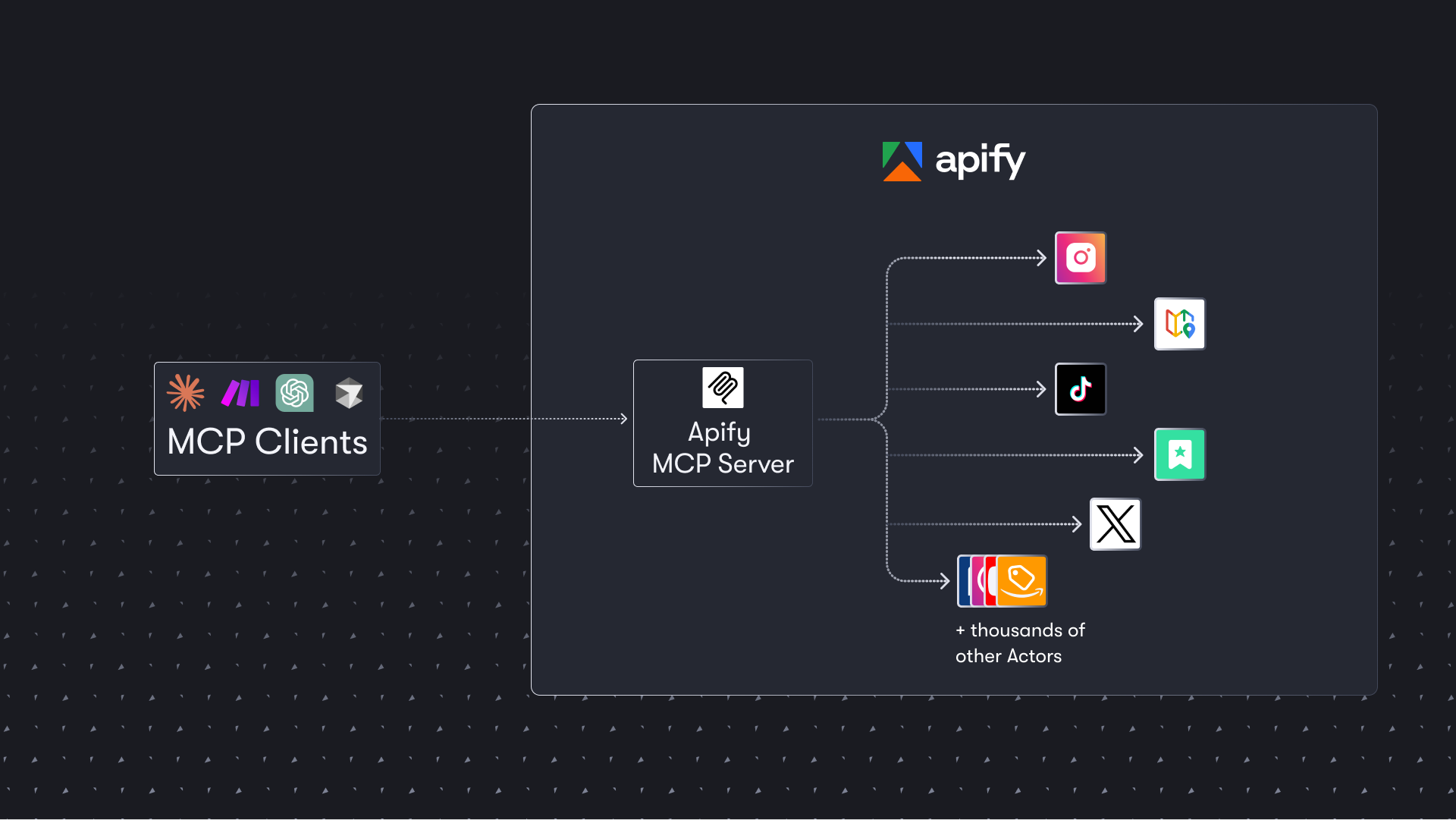
The Apify Model Context Protocol (MCP) server at mcp.apify.com enables your AI agents to extract data from social media, search engines, maps, e-commerce sites, and any other website using thousands of ready-made scrapers, crawlers, and automation tools from the Apify Store. It supports OAuth, allowing you to connect from clients like Claude.ai or Visual Studio Code using just the URL.
🚀 Use the hosted Apify MCP Server!
For the easiest setup and most powerful features, connect your AI assistant to our hosted server:
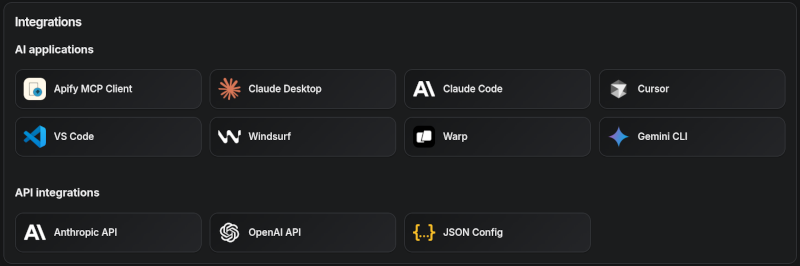
Apify MCP Server is compatible with Claude Code, Claude.ai, Cursor, VS Code and any client that adheres to the Model Context Protocol.
Check out the MCP clients section for more details or visit the MCP configuration page.
Use Instagram Scraper to scrape Instagram posts, profiles, places, photos, and comments.
Use RAG Web Browser to search the web, scrape the top N URLs, and return their content.
Video tutorial: Integrate 8,000+ Apify Actors and Agents with Claude
🚀 Quickstart
You can use the Apify MCP Server in two ways:
HTTPS Endpoint (mcp.apify.com): Connect from your MCP client via OAuth or by including the Authorization: Bearer <APIFY_TOKEN> header in your requests. This is the recommended method for most use cases. Because it supports OAuth, you can connect from clients like Claude.ai or Visual Studio Code using just the URL: https://mcp.apify.com.
https://mcp.apify.com streamable transport
Standard Input/Output (stdio): Ideal for local integrations and command-line tools like the Claude for Desktop client.
Set the MCP client server command to npx @apify/actors-mcp-server and the APIFY_TOKEN environment variable to your Apify API token.
See npx @apify/actors-mcp-server --help for more options.
You can find detailed instructions for setting up the MCP server in the Apify documentation.
🤖 MCP clients
Apify MCP Server is compatible with any MCP client that adheres to the Model Context Protocol, but the level of support for dynamic tool discovery and other features may vary between clients.
Visit mcp.apify.com to configure the server for your preferred client.
Supported clients matrix
The following table outlines the tested MCP clients and their level of support for key features.
Client
Dynamic Tool Discovery
Notes
Claude.ai (web)
🟡 Partial
Tools mey need to be reloaded manually in the client
Claude Desktop
🟡 Partial
Tools may need to be reloaded manually in the client
VS Code (Genie)
✅ Full
Cursor
✅ Full
Apify Tester MCP Client
✅ Full
Designed for testing Apify MCP servers
OpenCode
✅ Full
Smart tool selection based on client capabilities:
When the actors tool category is requested, the server intelligently selects the most appropriate Actor-related tools based on the client's capabilities:
Clients with dynamic tool support (e.g., Claude.ai web, VS Code Genie): The server provides the add-actor tool instead of call-actor. This allows for a better user experience where users can dynamically discover and add new Actors as tools during their conversation.
Clients with limited dynamic tool support (e.g., Claude Desktop): The server provides the standard call-actor tool along with other Actor category tools, ensuring compatibility while maintaining functionality.
This interactive, chat-like interface provides an easy way to explore the capabilities of Apify MCP without any local setup.
Just sign in with your Apify account and start experimenting with web scraping, data extraction, and automation tools!
Or use the MCP bundle file (formerly known as Anthropic Desktop extension file, or DXT) for one-click installation: Apify MCP server MCPB file
🛠️ Tools, resources, and prompts
The MCP server provides a set of tools for interacting with Apify Actors.
Since the Apify Store is large and growing rapidly, the MCP server provides a way to dynamically discover and use new Actors.
Actors
Any Apify Actor can be used as a tool.
By default, the server is pre-configured with one Actor, apify/rag-web-browser, and several helper tools.
The MCP server loads an Actor's input schema and creates a corresponding MCP tool.
This allows the AI agent to know exactly what arguments to pass to the Actor and what to expect in return.
For example, for the apify/rag-web-browser Actor, the input parameters are:
{
  "query": "restaurants in San Francisco",
  "maxResults": 3
}
You don't need to manually specify which Actor to call or its input parameters; the LLM handles this automatically.
When a tool is called, the arguments are automatically passed to the Actor by the LLM.
You can refer to the specific Actor's documentation for a list of available arguments.
Helper tools
One of the most powerful features of using MCP with Apify is dynamic tool discovery.
It gives an AI agent the ability to find new tools (Actors) as needed and incorporate them.
Here are some special MCP operations and how the Apify MCP Server supports them:
Apify Actors: Search for Actors, view their details, and use them as tools for the AI.
Apify documentation: Search the Apify documentation and fetch specific documents to provide context to th