21st.dev Magic
Create crafted UI components inspired by the best 21st.dev design engineers.
⚡Config Installation
Add this to your claude_desktop_config.json:
{
  "mcpServers": {
    "21st-dev-magic": {
      "command": "npx",
      "args": [
        "-y",
        "@modelcontextprotocol/server-21st-dev-magic"
      ]
    }
  }
}* Note: Requires restart of Claude Desktop app.
Deployment Infrastructure
Adoption Framework for 21st.dev Magic
Before installing any skill, define a clear objective and measurable outcome. A useful implementation question is: what workflow becomes faster, safer, or more reliable after this skill is active? If that answer is vague, delay rollout and tighten scope first.
For most teams, a low-risk pattern is preview-first rollout with one owner, one test scenario, and one rollback plan. Capture failures in a structured log so quality decisions are evidence-based. This is especially important for skills that touch file systems, external APIs, or automation chains with downstream side effects.
- Define success metrics before installation.
- Validate permission scope against policy boundaries.
- Run one controlled pilot and document failure categories.
- Promote only after acceptance checks pass consistently.
Pre-Deployment Review Questions
Use these questions before enabling the skill in shared environments. They reduce surprise incidents and make approval decisions consistent across teams.
- What data can this skill read, write, or transmit by default?
- Which failures are recoverable automatically and which require manual stop?
- Do we have verifiable logs that prove safe behavior under load?
- Is rollback tested, documented, and assigned to a clear owner?
If any answer is unclear, keep rollout in preview and close the gap before production use.
Editorial Review Snapshot
This listing includes an editorial QA layer in addition to automated rendering. Review status is based on documentation depth, content uniqueness, and operational safety signals from the upstream repository.
- Last scan date: 2026-01-18
- README depth: 923 words
- Content diversity score: 0.55 (higher is better)
- Template signal count: 0
- Index status: Index eligible
Recommendation: Pilot in a bounded environment first. Confirm observability and ownership before promoting to shared workflows.
Skill Implementation Board
Actionable utility module for rollout decisions. Use the inputs below to choose a deployment path, then execute the checklist and record an output note.
Input: Security Grade
B
Input: Findings
0
Input: README Depth
923 words
Input: Index State
Eligible
| Decision Trigger | Action | Expected Output |
|---|---|---|
| Input: risk band moderate, docs partial, findings 0 | Run a preview pilot with fixed ownership and observability checkpoints. | Pilot can start with rollback checklist attached. |
| Input: page is index-eligible | Proceed with external documentation and team onboarding draft. | Reusable rollout runbook ready for team adoption. |
| Input: context tags/scenarios are missing | Define two concrete scenarios before broad rollout. | Clear scope definition before further deployment. |
Execution Steps
- Capture objective, owner, and rollback contact.
- Run one preview pilot with fixed test scenario.
- Record warning behavior and recovery evidence.
- Promote only if pilot output matches expected threshold.
Output Template
skill=21st-dev-magic
mode=B
pilot_result=pass|fail
warning_count=0
next_step=rollout|patch|hold
🛡️ Security Analysis
Clean Scan Report
Our static analysis engine detected no common vulnerabilities (RCE, API Leaks, Unbounded FS).
DocumentationREADME.md
21st.dev Magic AI Agent
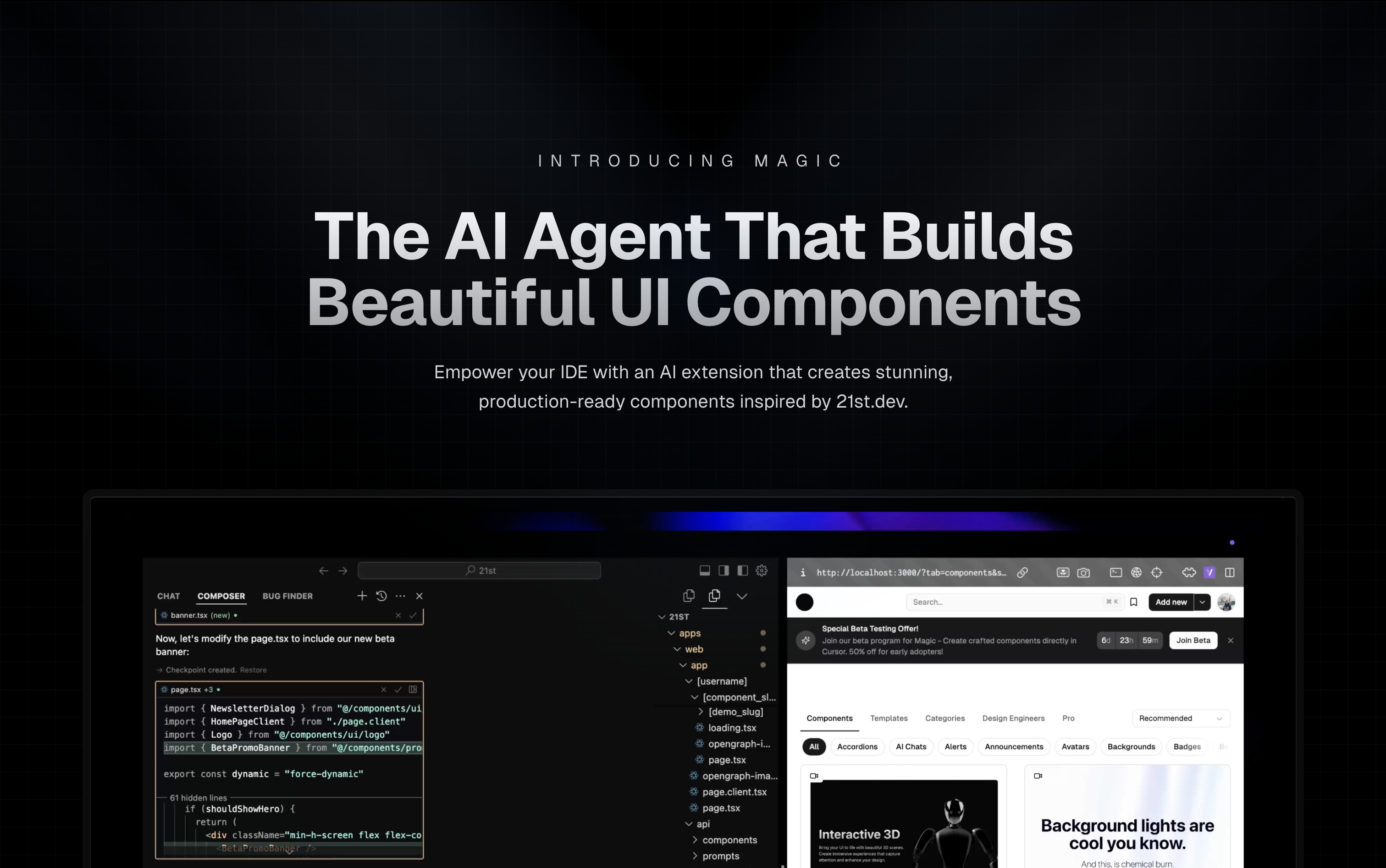
Magic Component Platform (MCP) is a powerful AI-driven tool that helps developers create beautiful, modern UI components instantly through natural language descriptions. It integrates seamlessly with popular IDEs and provides a streamlined workflow for UI development.
🌟 Features
- AI-Powered UI Generation: Create UI components by describing them in natural language
- Multi-IDE Support:
- Cursor IDE integration
- Windsurf support
- VSCode support
- VSCode + Cline integration (Beta)
- Modern Component Library: Access to a vast collection of pre-built, customizable components inspired by 21st.dev
- Real-time Preview: Instantly see your components as you create them
- TypeScript Support: Full TypeScript support for type-safe development
- SVGL Integration: Access to a vast collection of professional brand assets and logos
- Component Enhancement: Improve existing components with advanced features and animations (Coming Soon)
🎯 How It Works
-
Tell Agent What You Need
- In your AI Agent's chat, just type
/uiand describe the component you're looking for - Example:
/ui create a modern navigation bar with responsive design
- In your AI Agent's chat, just type
-
Let Magic Create It
- Your IDE prompts you to use Magic
- Magic instantly builds a polished UI component
- Components are inspired by 21st.dev's library
-
Seamless Integration
- Components are automatically added to your project
- Start using your new UI components right away
- All components are fully customizable
🚀 Getting Started
Prerequisites
- Node.js (Latest LTS version recommended)
- One of the supported IDEs:
- Cursor
- Windsurf
- VSCode (with Cline extension)
Installation
-
Generate API Key
- Visit 21st.dev Magic Console
- Generate a new API key
-
Choose Installation Method
Method 1: CLI Installation (Recommended)
One command to install and configure MCP for your IDE:
npx @21st-dev/cli@latest install <client> --api-key <key>
Supported clients: cursor, windsurf, cline, claude
Method 2: Manual Configuration
If you prefer manual setup, add this to your IDE's MCP config file:
{
  "mcpServers": {
    "@21st-dev/magic": {
      "command": "npx",
      "args": ["-y", "@21st-dev/magic@latest", "API_KEY=\"your-api-key\""]
    }
  }
}
Config file locations:
- Cursor:
~/.cursor/mcp.json - Windsurf:
~/.codeium/windsurf/mcp_config.json - Cline:
~/.cline/mcp_config.json - Claude:
~/.claude/mcp_config.json
Method 3: VS Code Installation
For one-click installation, click one of the install buttons below:


Manual VS Code Setup
First, check the install buttons above for one-click installation. For manual setup:
Add the following JSON block to your User Settings (JSON) file in VS Code. You can do this by pressing Ctrl + Shift + P and typing Preferences: Open User Settings (JSON):
{
  "mcp": {
    "inputs": [
      {
        "type": "promptString",
        "id": "apiKey",
        "description": "21st.dev Magic API Key",
        "password": true
      }
    ],
    "servers": {
      "@21st-dev/magic": {
        "command": "npx",
        "args": ["-y", "@21st-dev/magic@latest"],
        "env": {
          "API_KEY": "${input:apiKey}"
        }
      }
    }
  }
}
Optionally, you can add it to a file called .vscode/mcp.json in your workspace:
{
  "inputs": [
    {
      "type": "promptString",
      "id": "apiKey",
      "description": "21st.dev Magic API Key",
      "password": true
    }
  ],
  "servers": {
    "@21st-dev/magic": {
      "command": "npx",
      "args": ["-y", "@21st-dev/magic@latest"],
      "env": {
        "API_KEY": "${input:apiKey}"
      }
    }
  }
}
❓ FAQ
How does Magic AI Agent handle my codebase?
Magic AI Agent only writes or modifies files related to the components it generates. It follows your project's code style and structure, and integrates seamlessly with your existing codebase without affecting other parts of your application.
Can I customize the generated components?
Yes! All generated components are fully editable and come with well-structured code. You can modify the styling, functionality, and behavior just like any other React component in your codebase.
What happens if I run out of generations?
If you exceed your monthly generation limit, you'll be prompted to upgrade your plan. You can upgrade at any time to continue generating components. Your existing components will remain fully functional.
How soon do new components get added to 21st.dev's library?
Authors can publish components to 21st.dev at any time, and Magic Agent will have immediate access to them. This means you'll always have access to the latest components and design patterns from the community.
Is there a limit to component complexity?
Magic AI Agent can handle components of varying complexity, from simple buttons to complex interactive forms. However, for best results, we recommend breaking down very complex UIs into smaller, manageable components.
🛠️ Development
Project Structure
mcp/
├── app/
│   └── components/     # Core UI components
├── types/             # TypeScript type definitions
├── lib/              # Utility functions
└── public/           # Static assets
Key Components
IdeInstructions: Setup instructions for different IDEsApiKeySection: API key management interfaceWelcomeOnboarding: Onboarding flow for new users
🤝 Contributing
We welcome contributions! Please join our Discord community and provide feedback to help improve Magic Agent. The source code is available on GitHub.
👥 Community & Support
- Discord Community - Join our active community
- Twitter - Follow us for updates
⚠️ Beta Notice
Magic Agent is currently in beta. All features are free during this period. We appreciate your feedback and patience as we continue to improve the platform.
📝 License
MIT License
🙏 Acknowledgments
- Thanks to our beta testers and community members
- Special thanks to the Cursor, Windsurf, and Cline teams for their collaboration
- Integration with 21st.dev for component inspiration
- SVGL for logo and brand asset integration
For more information, join our Discord community or visit 21st.dev/magic.